
JavaScript Event Loop Explained (2026)
The JavaScript event loop explained for beginners through a restaurant kitchen: one chef, two lines and a manager. Why setTimeout 0 runs last and pages freeze.

A kitchen with one chef cannot feed a full restaurant, and yet that is exactly how JavaScript runs your code. One chef, one stove, one dish at a time, while the dining room fills up, the delivery app keeps buzzing and the phone keeps ringing.
That kitchen is the JavaScript event loop, and it is the reason setTimeout(fn, 0) runs after the line written below it. I think the event loop gets taught backwards. It usually opens with call stacks, task queues and spec vocabulary, and the picture arrives last, if at all. This post puts the picture first and the vocabulary after, and every term gets attached to something in the kitchen.
Prefer to watch? Here is the 7-minute video version.
TL;DR: JavaScript has one chef (the call stack) who cooks one dish at a time. Slow jobs go to helpers (Web APIs), and finished results wait in two lines: a VIP line of microtasks and a normal line of macrotasks. A manager (the event loop) serves the whole VIP line first, then takes just one task from the normal line, then repeats forever.
Table of Contents
- One Chef, Many Orders
- Slow Jobs Go to Helpers
- Two Lines Instead of One
- Meet the Kitchen
- How the Manager Decides
- The Whole Picture
- Never Block the Chef
- Going Deeper
- One Last Question
1. One Chef, Many Orders
JavaScript is single-threaded, which is the technical way of saying it has one chef. The dish being cooked right now is the code that is running right now. Every other dish waits its turn.
Nothing your code does runs in parallel. Once a function starts, it finishes before any other code gets a look in. The chef never abandons a dish halfway through to start another one.
That sounds like a terrible design for a busy kitchen. The next section is why it works anyway.
2. Slow Jobs Go to Helpers
Some jobs are slow. Water takes minutes to boil, a delivery takes however long the courier takes, a timer is just waiting for time to pass.
If the chef stood next to the pot watching it, every other dish would go cold. In a browser that has a name: a frozen page.
So the chef does not wait. The slow job is handed to a kitchen helper, and the chef carries on with the next dish. The helper does the waiting. When the helper is finished, it does not tap the chef on the shoulder, because that would interrupt a dish in progress. The result goes to a line instead.
Async JavaScript is not doing many things at once. It is just never standing at the pot.
3. Two Lines Instead of One
Finished jobs wait in one of two lines before the chef sees them.
| Line | Real name | What waits there | How it is served |
|---|---|---|---|
| VIP line | Microtask queue | Promise callbacks, code after an await |
Always first, emptied completely |
| Normal line | Macrotask queue | Timers like setTimeout, clicks, key presses, network and file events |
One task at a time |
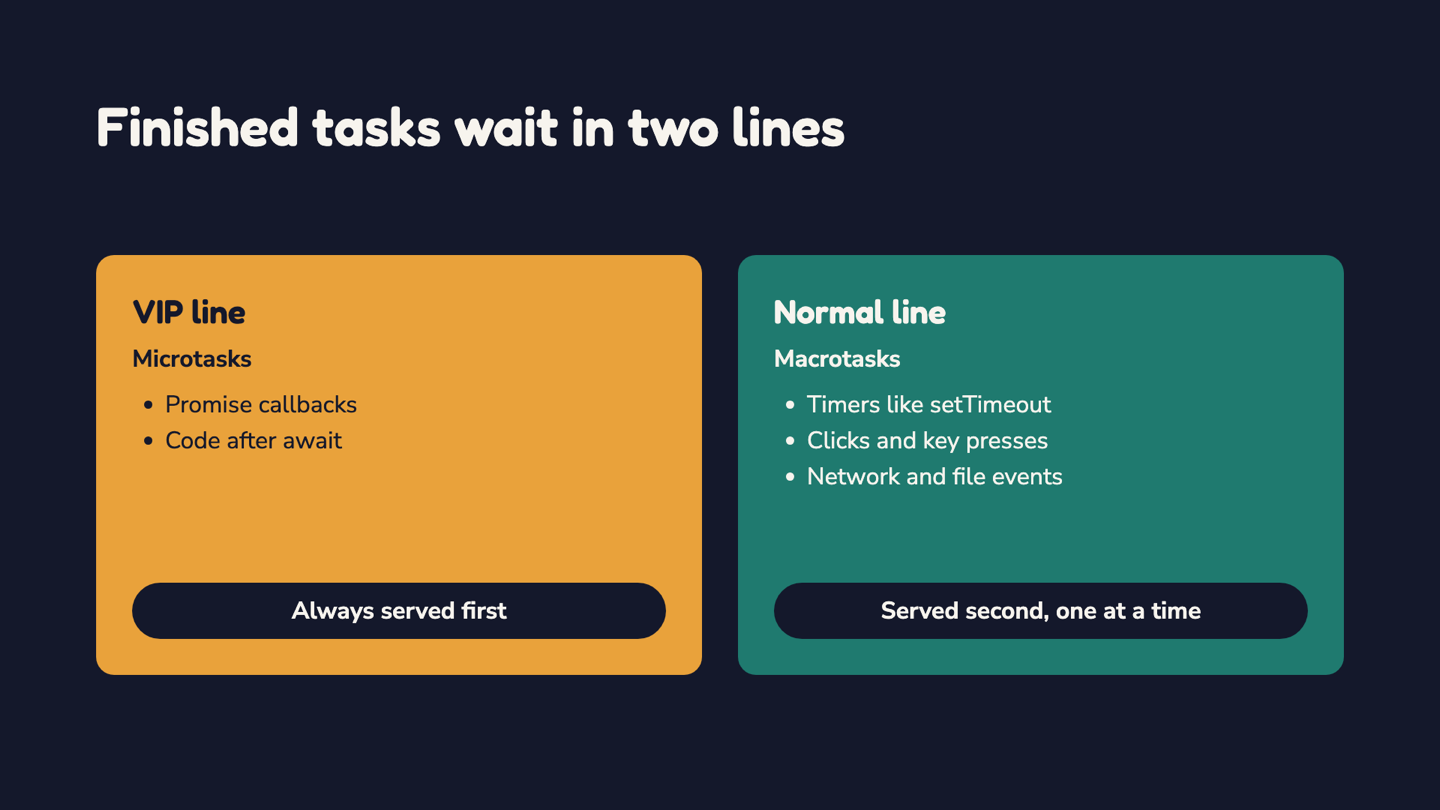
The VIP line holds short, urgent follow-up work, and it always goes first. The normal line holds everything else, and it is served slowly on purpose.
One simplification before moving on. A network response does arrive as a normal-line task, but the .then or await code that handles it then runs from the VIP line. Going deeper has the detail.
4. Meet the Kitchen
Every part of the kitchen has a real name, and it helps to learn them together.
| In the kitchen | Real name | Its job |
|---|---|---|
| The chef | Call stack | Runs one piece of code at a time. This is the single thread. |
| The helpers | Web APIs | The browser's built-in tools for slow work such as timers and network requests. |
| The two lines | Task queues | Where finished work waits. |
| The manager | Event loop | Decides what goes to the chef next, and from which line. |
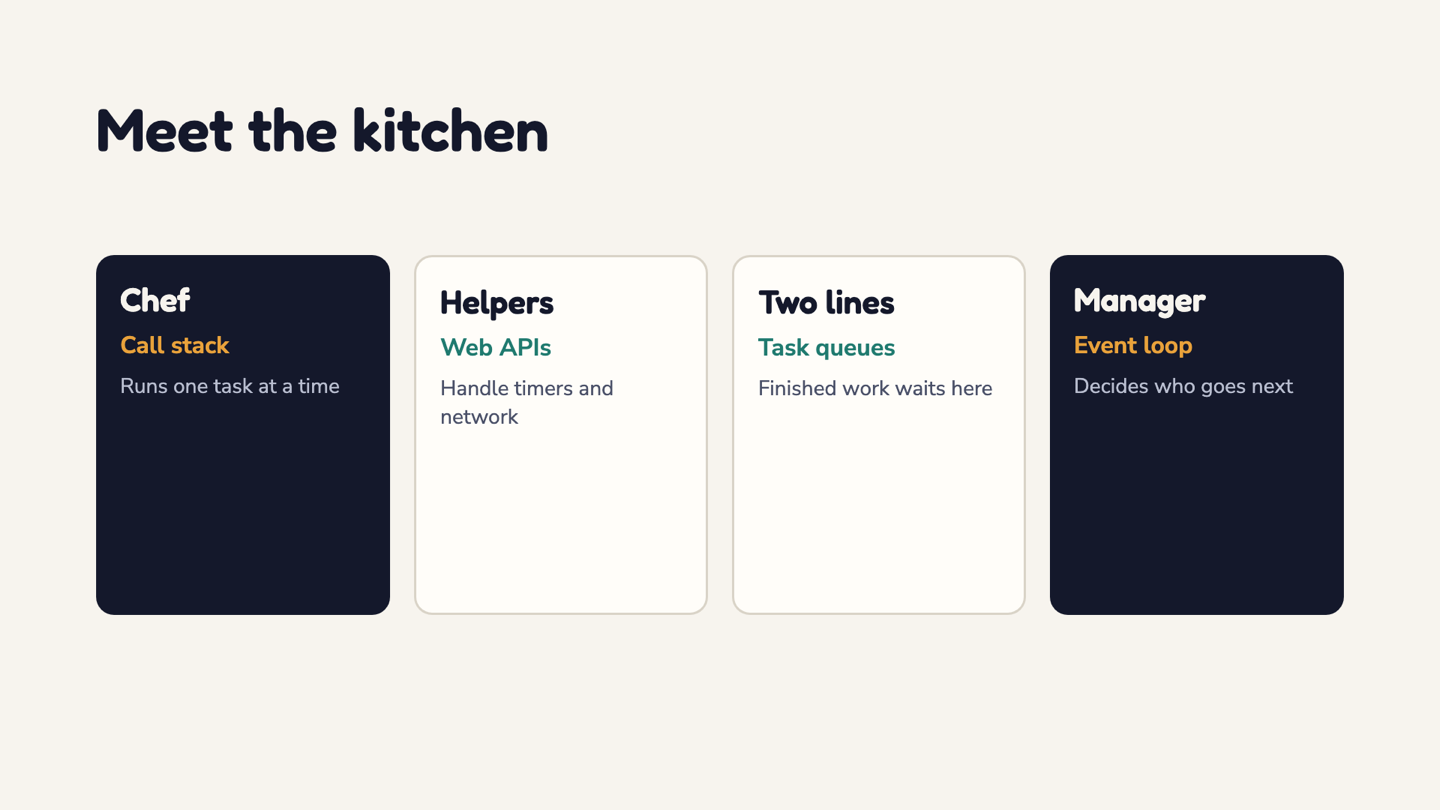
The manager does no cooking. It watches the chef and the lines, and it never interrupts a dish.
5. How the Manager Decides
The rule is short, and it never changes.
- The chef finishes the current dish.
- The manager serves the whole VIP line, until it is empty.
- Then the manager takes just one task from the normal line.
- Repeat, forever.
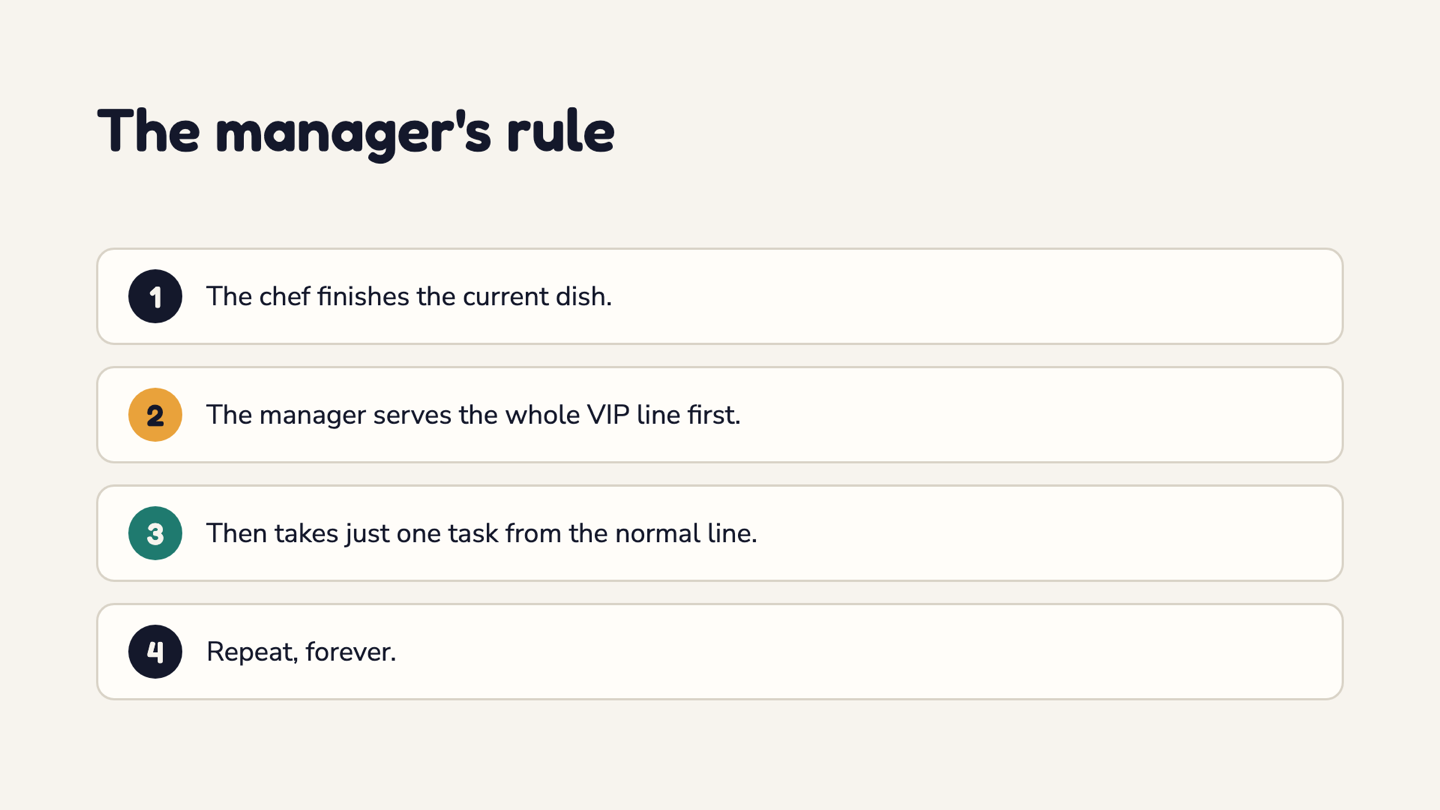
Look at the asymmetry in steps 2 and 3. The VIP line is emptied completely, but the normal line gives up only one task per turn. Even a VIP who joins the line while it is being served goes before anyone from the normal line.
That asymmetry is the part people forget, and it explains most of the strange output you will see from async code.
6. The Whole Picture
Put it together and the order of events is predictable.
Plain synchronous code goes straight to the chef and runs first. Slow jobs go to the helpers, so the chef never waits. Results join a line depending on their type. The manager keeps watching, and the moment the chef is free, it serves the VIP line and then one task from the normal line.
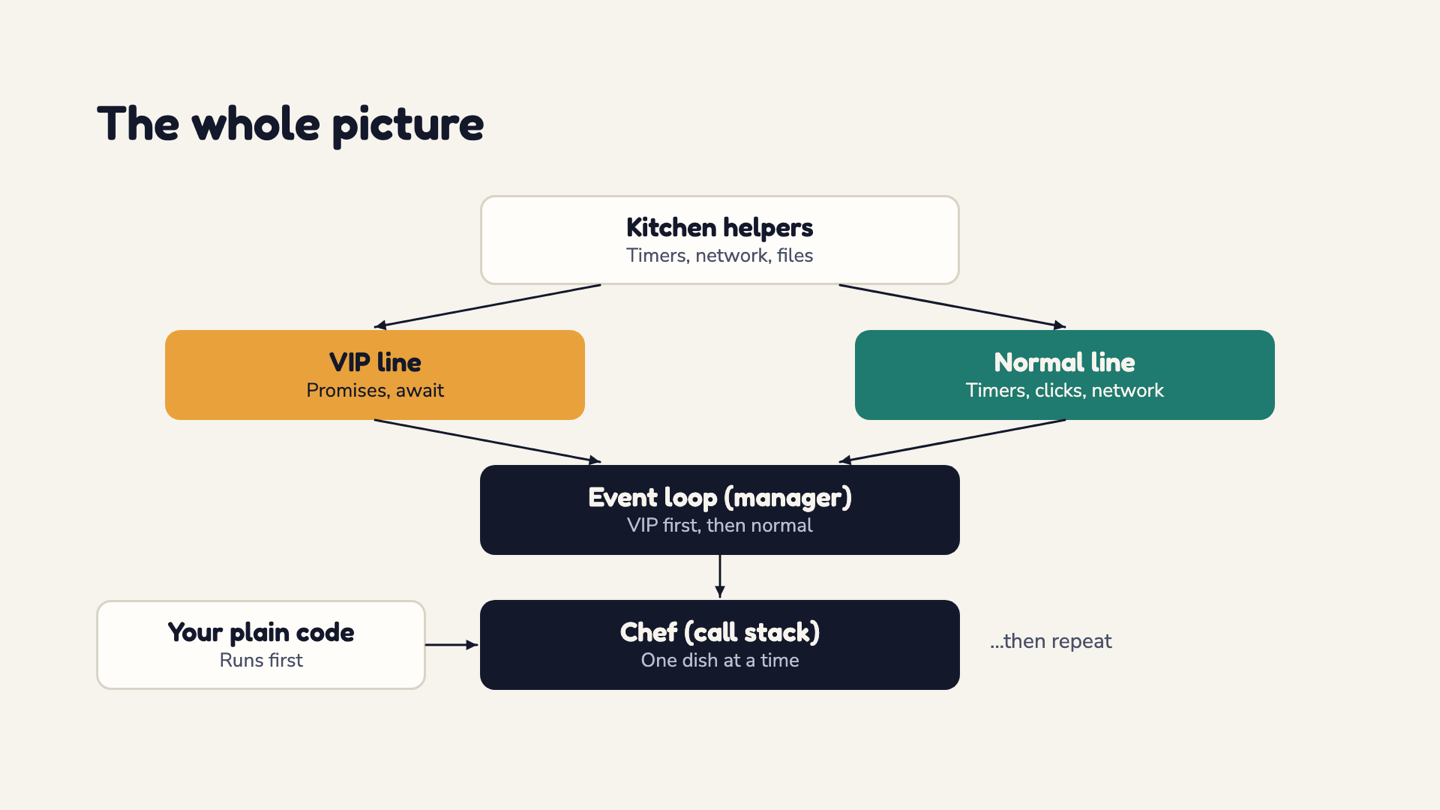
Here is the smallest example that shows it:
console.log("start")

setTimeout(() => {
  console.log("timer finished")
}, 0)

console.log("end")
The console prints:
start
end
timer finished
Walk through it with the kitchen. The chef reads the script top to bottom and prints start. At the setTimeout, the chef hands the timer to a helper and keeps going. The timer's callback has to join the normal line, and the chef is still busy with the script, so end prints next.
Only when the script is finished does the manager look at the lines. The timer callback is waiting, so it gets its turn and timer finished prints last.
A delay of 0 does not mean right now. It means as soon as the chef is free.
If you remember one thing, make it the order: synchronous code first, then the VIP line (microtasks), then the normal line (macrotasks), one task at a time.
7. Never Block the Chef
Everything above depends on one promise: the chef keeps each dish short.
Give the chef a huge loop or a heavy calculation and the chef is stuck on that single dish. Nothing can interrupt it, so both lines pile up. The manager cannot hand over anything until the chef is free.
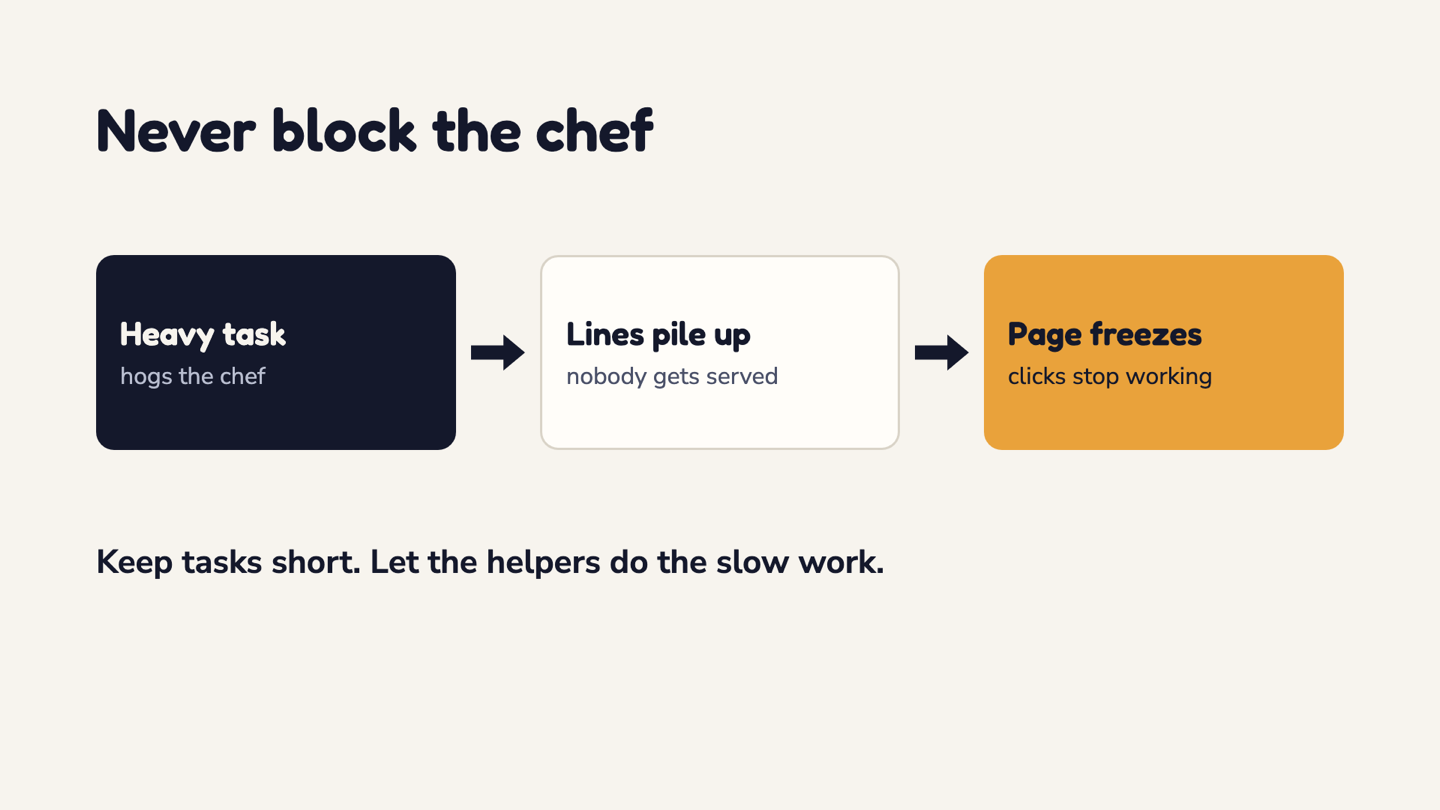
From the visitor's side, the page freezes. Clicks stop working, scrolling gets stuck, and the browser may offer to kill the tab.
The fix is simple to say and takes discipline to apply. Keep tasks short, split big jobs into several small ones, and let the helpers handle anything slow.
8. Going Deeper
The kitchen is a model, and every model leaves things out. These are the details I would look at next.
- The browser can repaint between tasks. After a task and its microtasks, it may update the screen before the next task runs, which is why a very long VIP line can starve the page of repaints too.
- A
setTimeoutdelay is a minimum, not a promise. The callback runs no sooner than the delay and later if the page is busy. Browsers also enforce longer minimums for deeply nested timers and background tabs. - The function you pass to
new Promise()runs immediately, on the chef's own time. Only the.then,.catchand.finallycallbacks wait in the VIP line.queueMicrotask(fn)puts a function there directly, with no Promise involved. - The spec allows more than one normal line. The HTML specification lets the browser keep several task queues and choose between them, for example giving keyboard and mouse input preference. One normal line is a simplification.
- Network results take two steps. The arrival of the response is handled as a task, and the Promise that
fetchreturns settles from there, so the.thenorawaitcode you wrote runs as a microtask. The video put network events in the normal line, which is true of the arrival and only half the story. - Your JavaScript runs one thing at a time, but the browser's own work, like waiting on a timer or a download, happens alongside it. That is what makes the single chef workable.
- Node.js has its own helpers rather than the browser's Web APIs, and its event loop runs in phases. It also adds
process.nextTick, whose callbacks run right after the current operation completes and before the event loop continues, andsetImmediate, which runs in a later phase of each loop.
If you want to check any of this yourself, the primary sources are MDN's event loop guide and microtask guide, the HTML specification's event loop section, and the Node.js docs on timers and nextTick.
9. One Last Question
I ended the video with a brain teaser, and I will end this post with the same one.
A Promise and a 0 ms timer start together. Which finishes first?
Put your answer in the comments here or under the video. The answer, and the reasoning behind it, is coming in a follow-up post and video.
If you have a codebase where async behavior is getting hard to reason about, reach out here. If the kitchen analogy helped, the YouTube channel has more of the same.
For the next read, learning JavaScript, HTML, CSS and React in the right order builds the foundation this post sits on, and React 19 hooks with TypeScript shows where all of this turns up once you start writing useEffect and async code.
Frequently Asked Questions
Is JavaScript single-threaded?⌄
Yes. JavaScript runs your code on a single thread, so it can only execute one piece of code at a time and each function runs to completion before anything else starts. It still feels concurrent because slow work like timers and network requests is handled by the browser outside your code, and the event loop feeds the results back in one at a time.
What is the difference between the microtask queue and the macrotask queue?⌄
Microtasks are short follow-up jobs such as Promise callbacks and the code after an await. After each task finishes, the whole microtask queue is emptied before anything else runs. Macrotasks (usually just called tasks) are timers, clicks, key presses and network or file events, and the event loop takes them one at a time.
Why does setTimeout with 0 not run immediately?⌄
A delay of 0 only means the callback may run as soon as possible. The callback is placed in the task queue, and the code that is currently running must finish first. The delay is a minimum, not a guarantee, and browsers can make it longer, for example for deeply nested timers or background tabs.
Can the event loop be blocked?⌄
Yes. If a single task runs for a long time, such as a huge loop or a heavy calculation, nothing else can run until it finishes. Clicks are not handled, scrolling stutters and the page looks frozen. Keep tasks short, split big jobs into smaller ones, and let the browser handle slow work like network requests.
Is the event loop part of JavaScript itself?⌄
Not exactly. The language defines how code runs and how promise jobs are queued, but the event loop that schedules everything comes from the environment. Browsers and Node.js each provide their own, which is why they share the same basic idea and still differ in the details.
Published: Tue Oct 13 2026